Score, cull, and publish.
Before you open your editor.
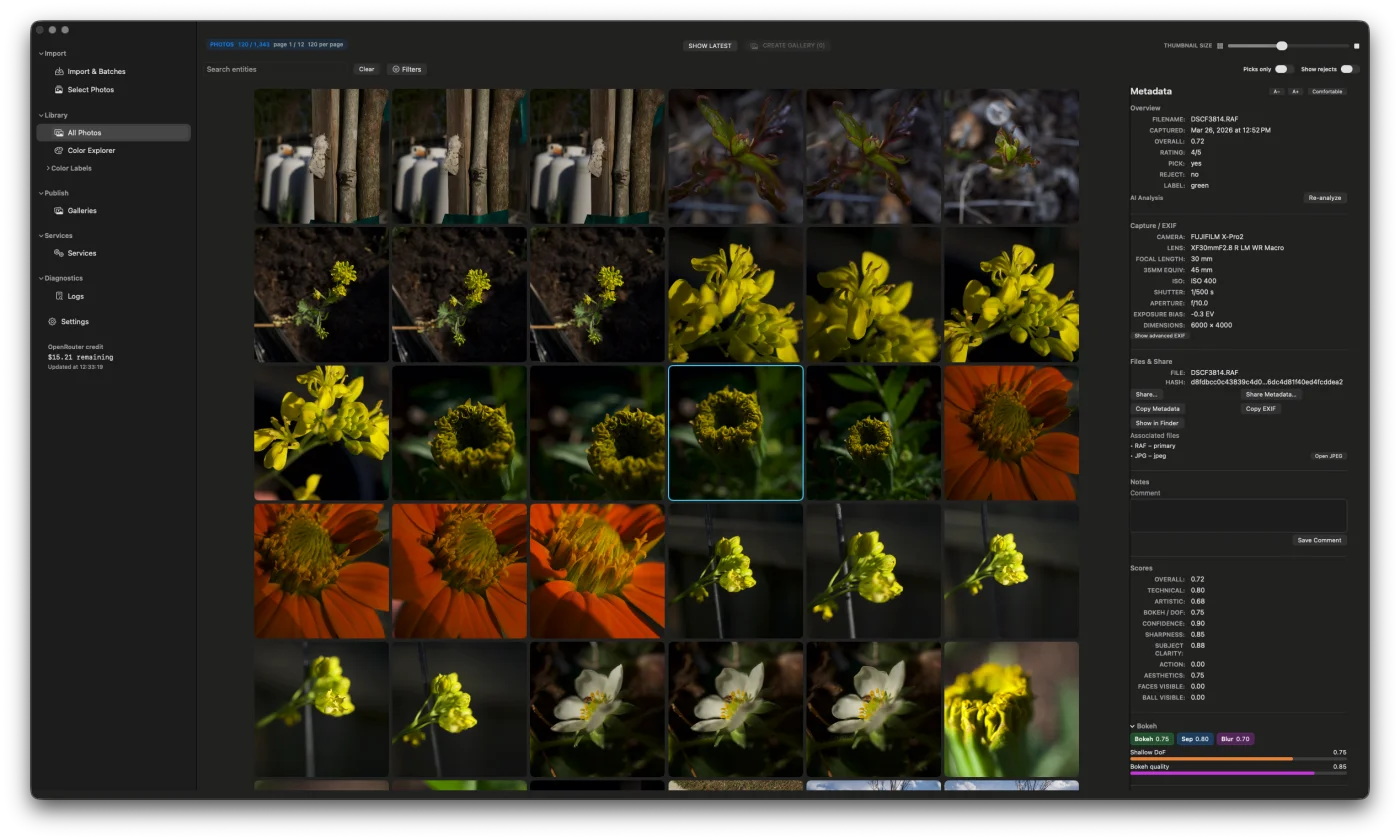
Imaag uses AI to rank every frame in your shoot, surface the keepers, and push picks to a free Cloudflare gallery — automatically, using your own API key at fractions of a cent per photo.
One-time purchase.
No subscription. Ever.
Pay once on the App Store. All features included. No plan tiers, no monthly fees, no renewal required.
Your AI key.
Your cost.
Imaag uses your own OpenRouter API key. You pay the model provider directly — around $0.007 per photo (less than a cent). We never see the bill.
Gallery hosting is free.
Forever.
Publish directly to Cloudflare Pages under your own account. No Imaag hosting fee. Your gallery, your URL, zero ongoing cost.
Import from anywhere.
Analyse automatically.
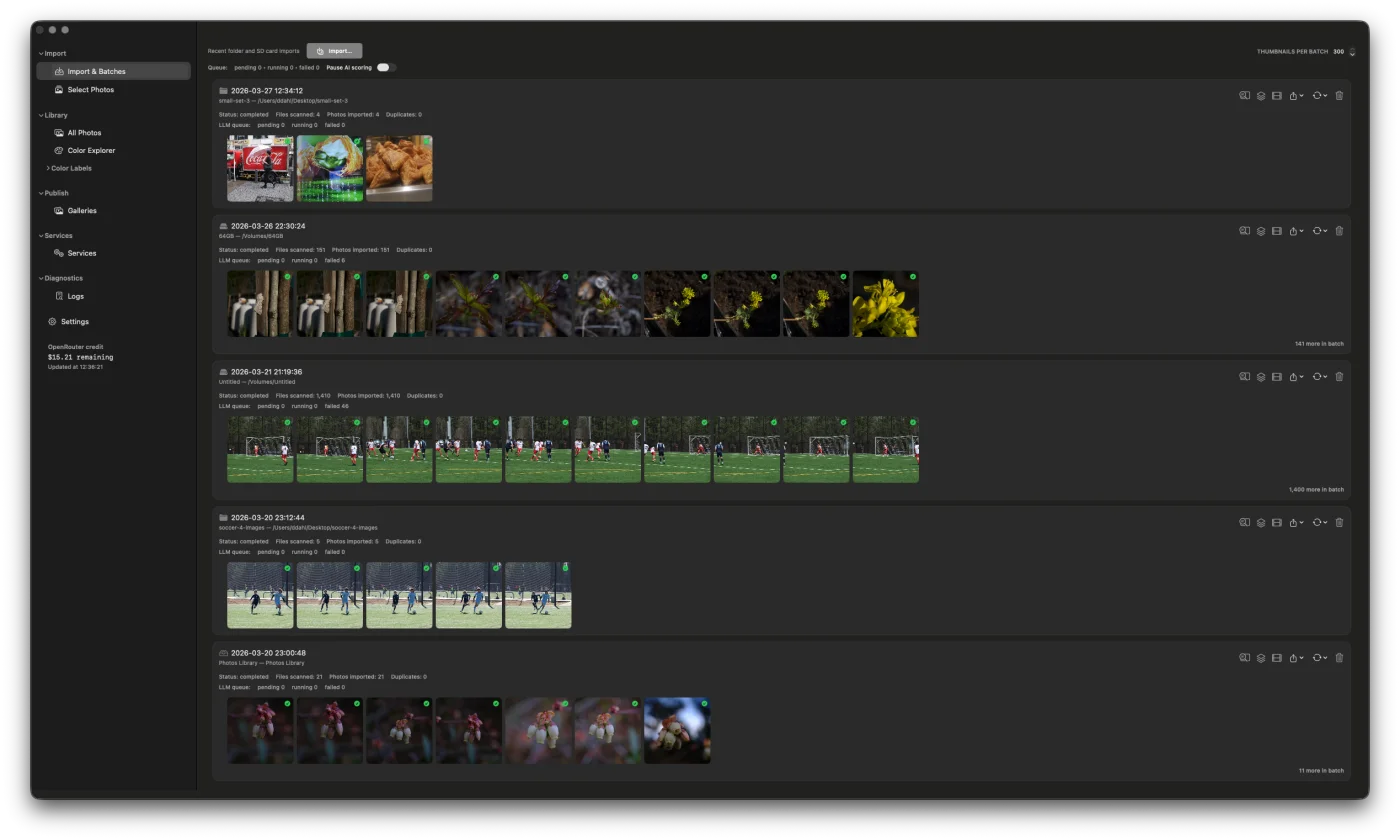
Bring in a folder, SD card, or batch from your Apple Photos library. Imaag analyses every frame in the background while you keep shooting — no manual triage required to get started.
Every photo scored.
Every decision yours.
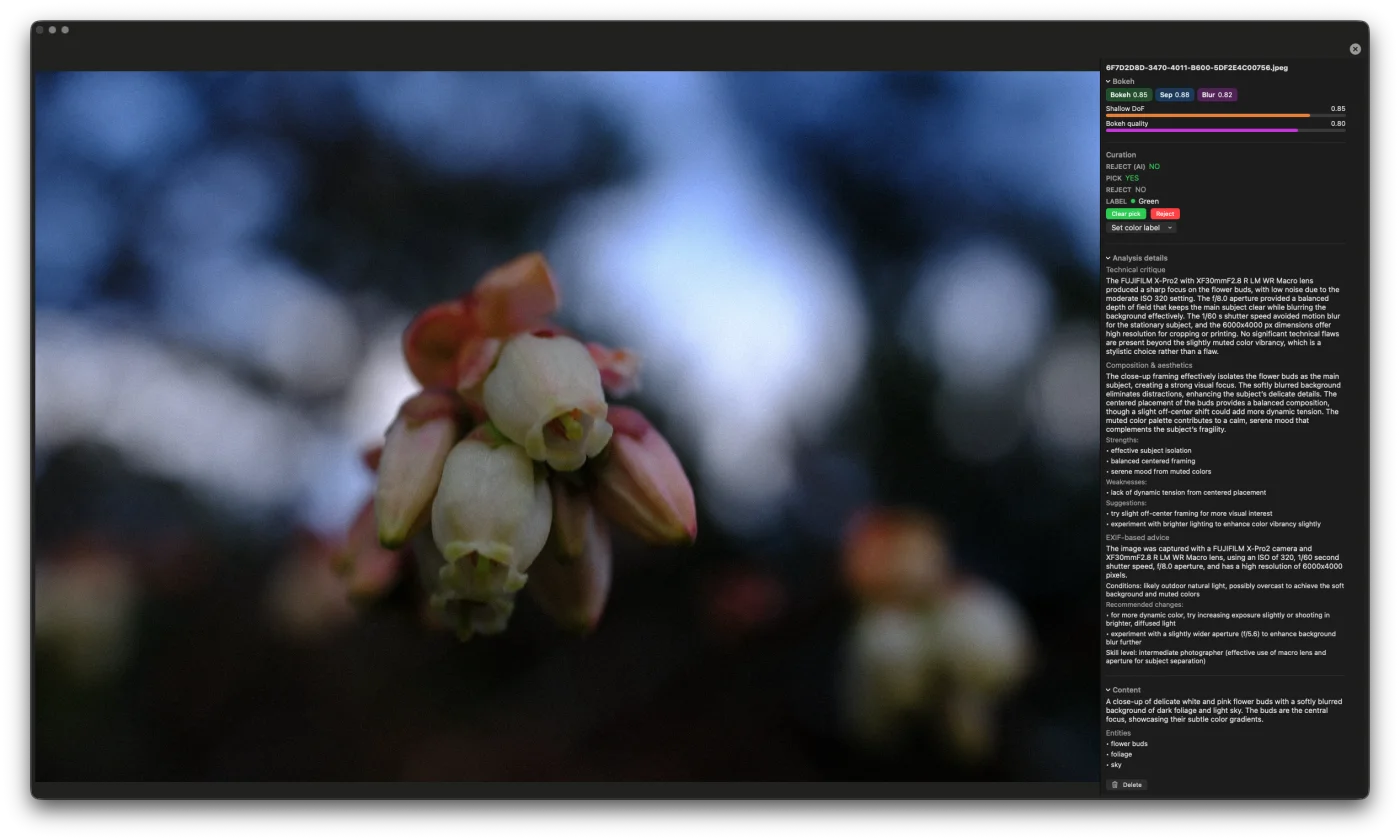
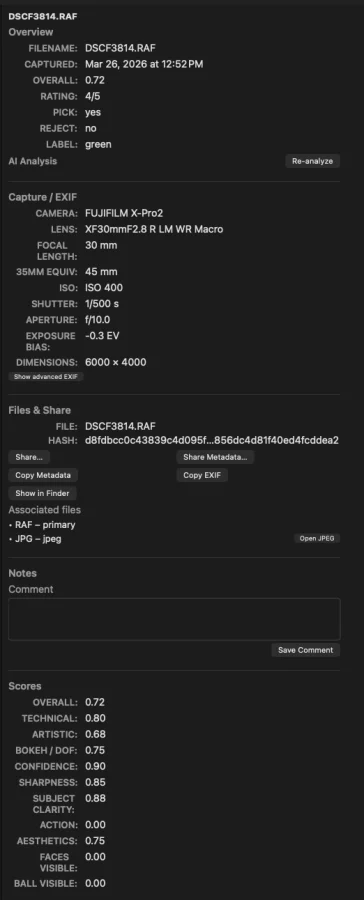
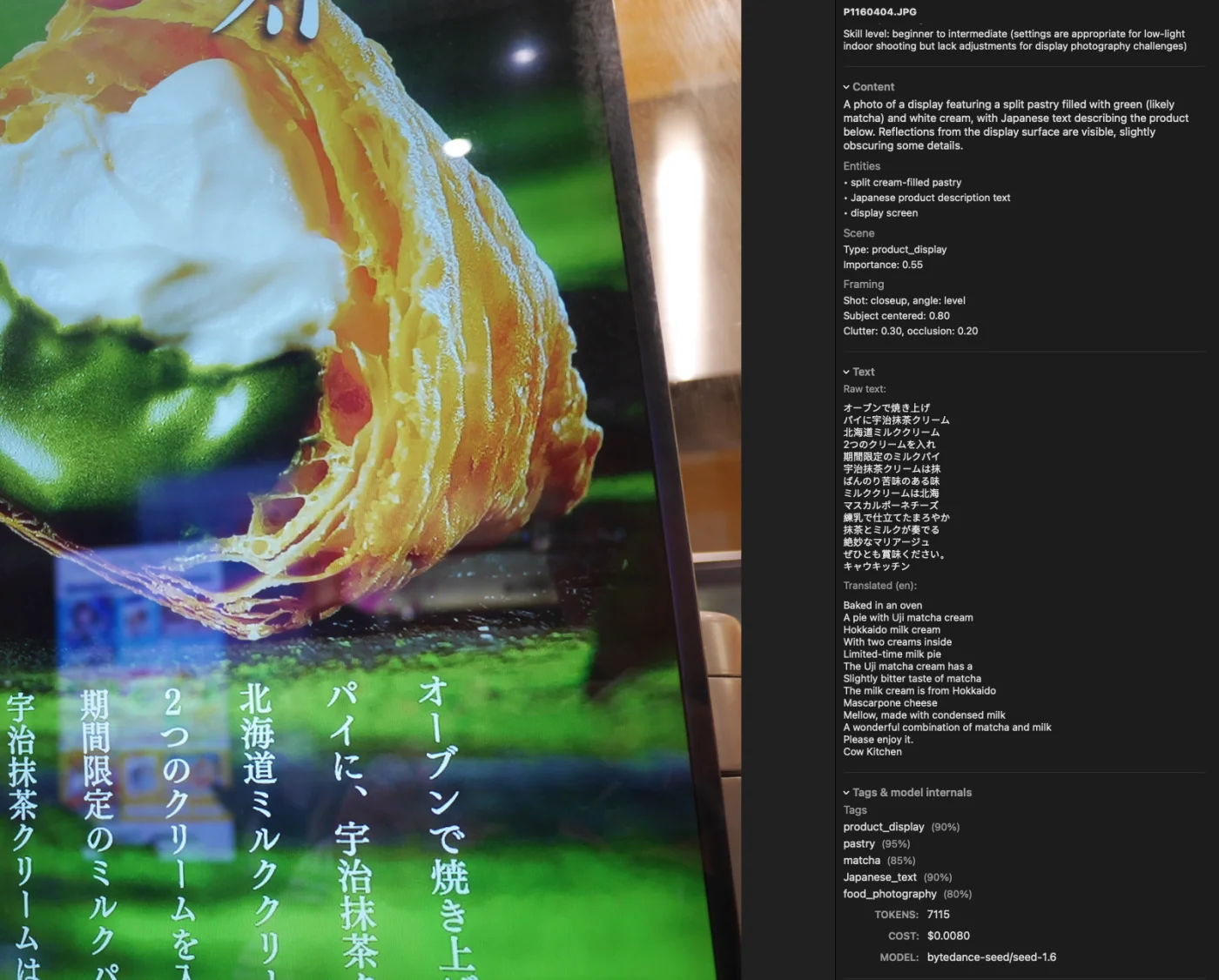
Technical quality, composition, mood, scene type, and more — each frame scored by a vision model and laid out in plain language. You keep final say on every keeper.
Picks and rejects
in one fast pass.
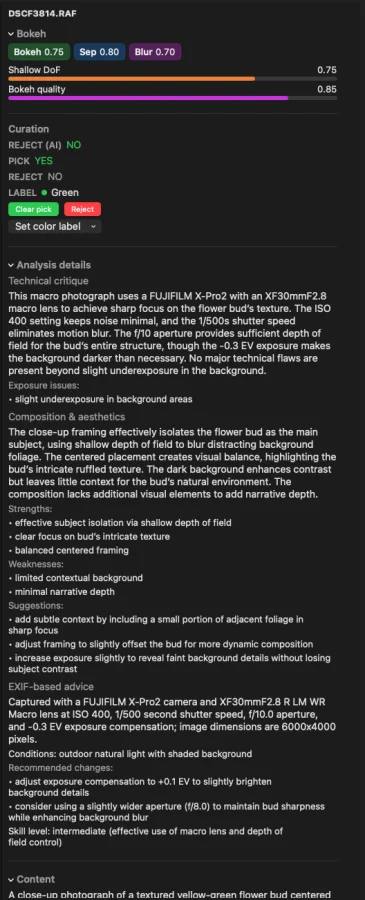
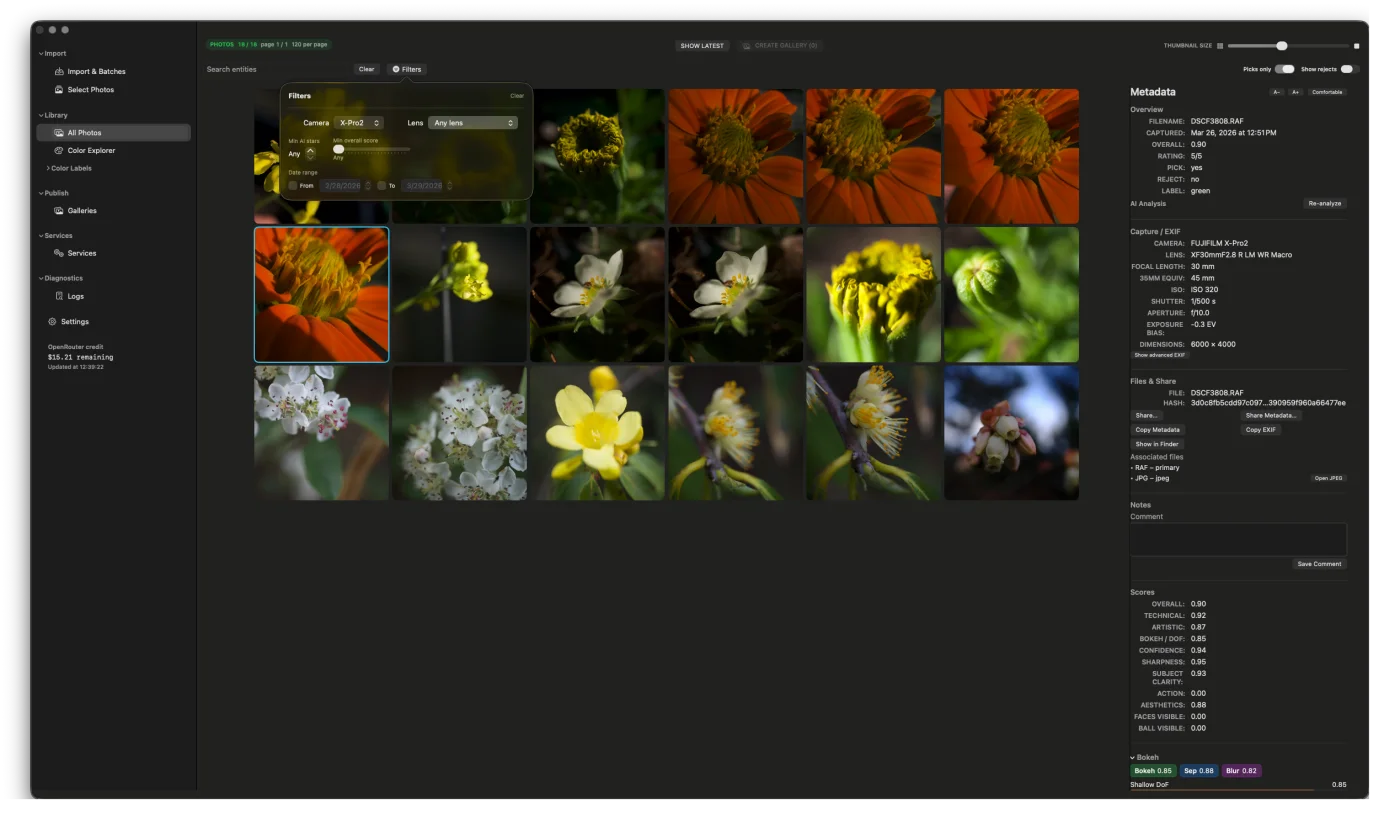
AI scores surface the keepers and flag the culls. Colour labels let you mark and filter in seconds — green for picks, red for rejects, or any label that fits your workflow.
Browse by palette,
not just filename.
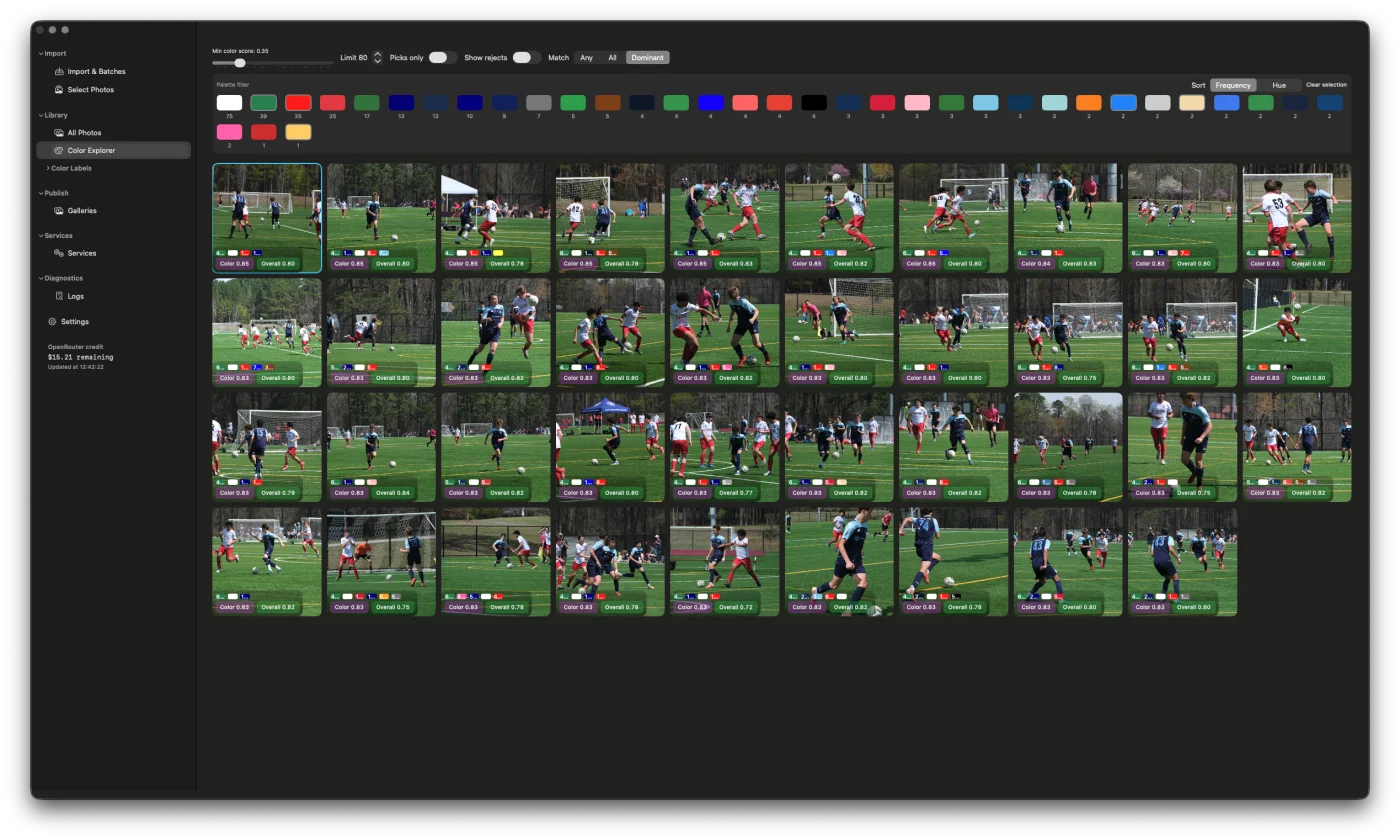
The Color Explorer groups your library by dominant tone. Select a swatch and instantly see every photo that shares that mood — great for building cohesive edit sets.
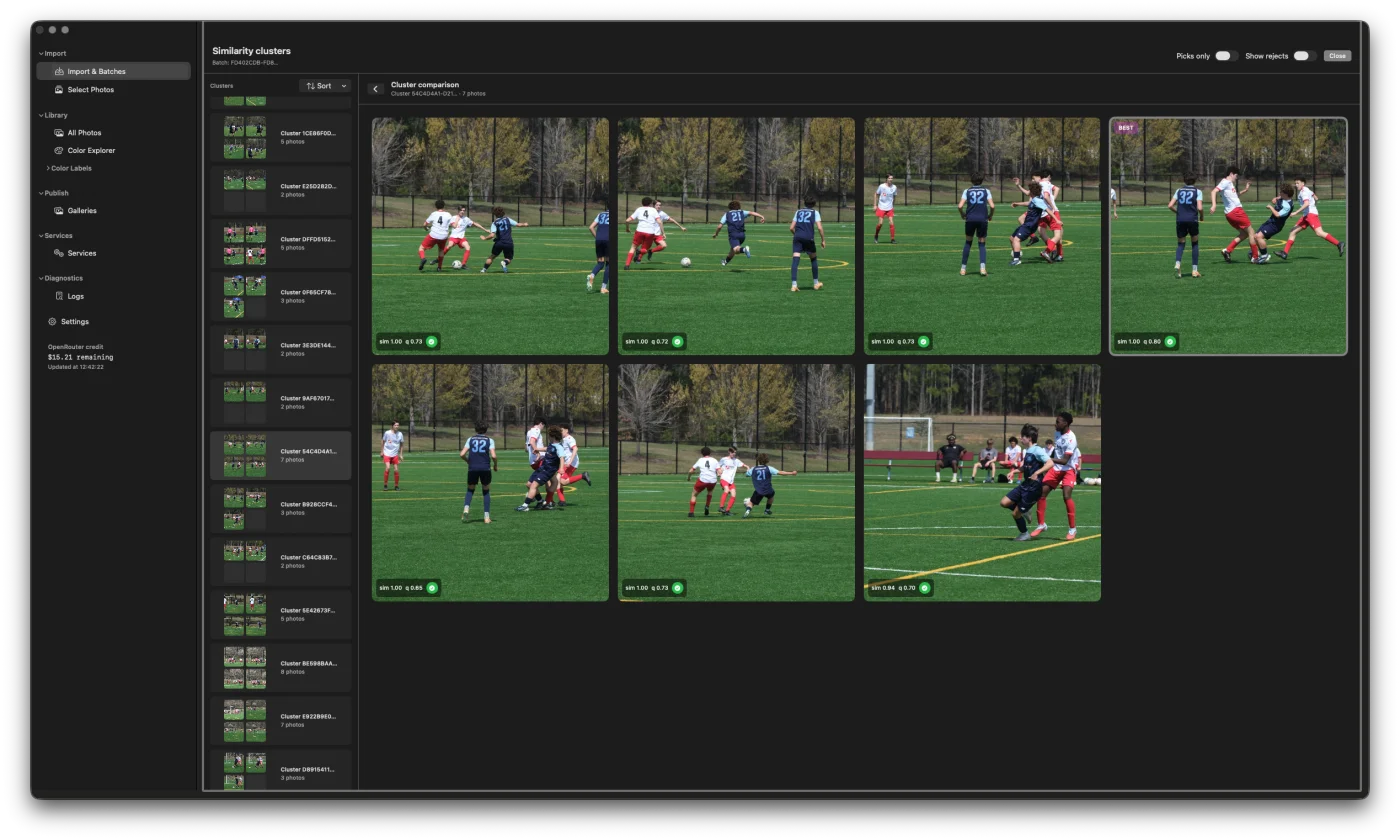
Stop choosing between
nearly identical frames.
Imaag detects near-duplicates and groups them automatically. See them side by side and keep the best one — without second-guessing your way through a hundred similar shots.
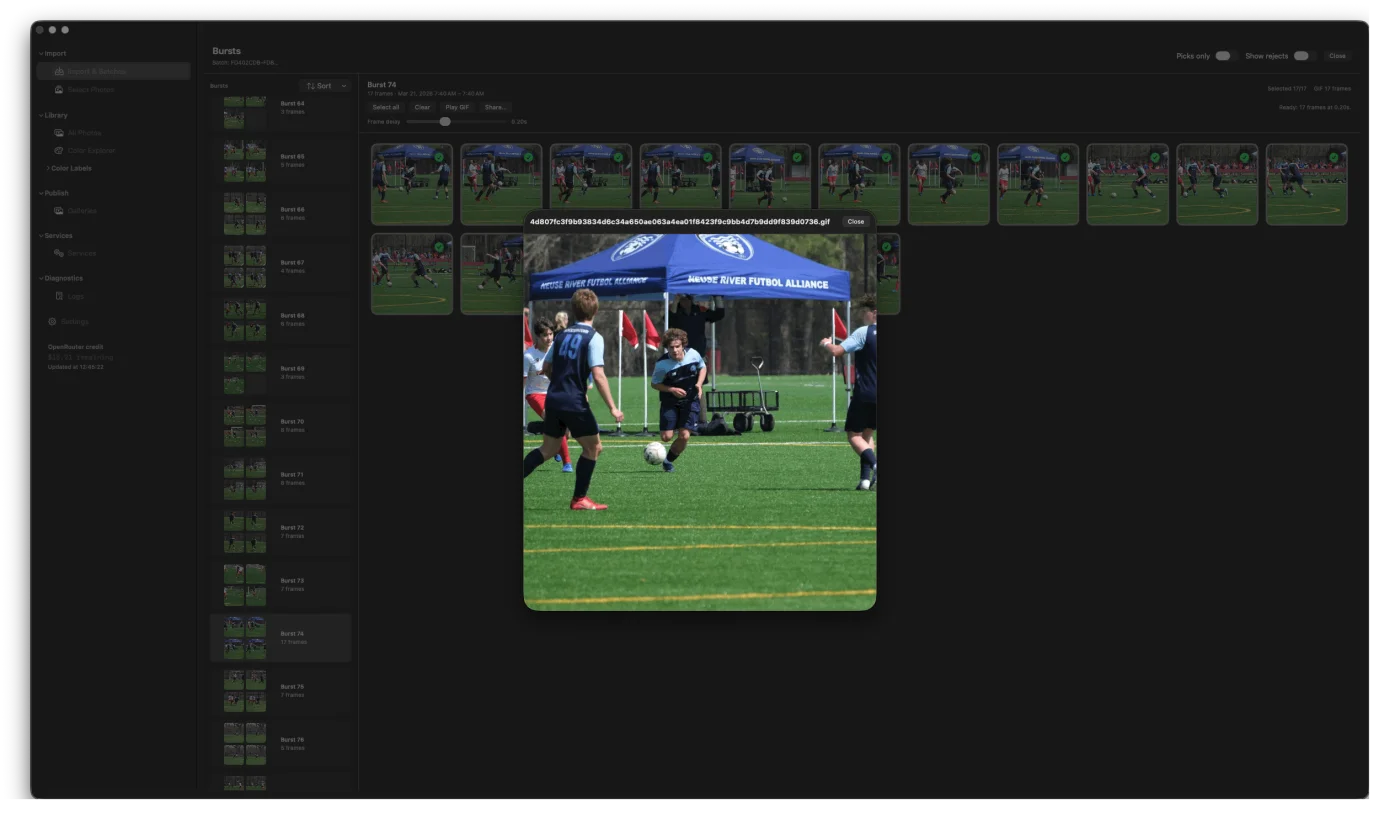
Bursts resolved.
GIFs generated.
Imaag picks the sharpest frame from every burst sequence. It can also turn any burst into a shareable animated GIF in one click — useful for clients and social.
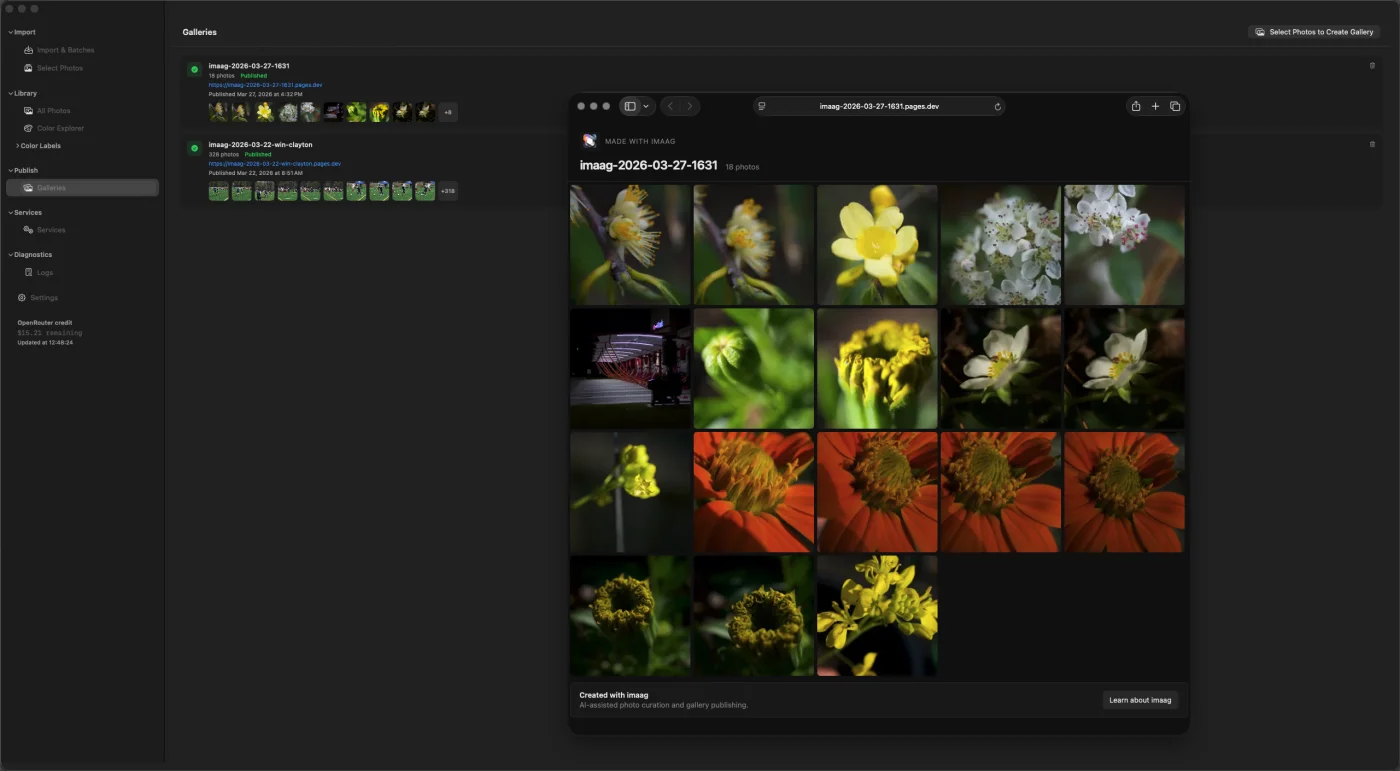
Share picks with clients.
No hosting fees.
Select your picks, hit publish, and get a fast, elegant gallery live on Cloudflare Pages — under your own account. No Imaag subscription, no monthly fee. Your gallery, your URL.
One price. Everything included.
No subscription. No feature tiers. Pay once on the App Store and get the full app — AI analysis, Color Explorer, similarity clustering, burst picking, and free gallery publishing.
Available for macOS · iOS companion coming soon
Frequently asked
Is there a subscription?
No. Imaag is a one-time App Store purchase. No monthly fees, no plan tiers, no renewal. You buy it once and it’s yours.
Who pays for the AI analysis?
You do, directly. Imaag uses your own OpenRouter API key. You pay the model provider at market rates — around $0.007 per photo (less than a cent). Imaag never sees those charges.
Does gallery hosting cost anything?
No. Galleries publish to Cloudflare Pages under your own Cloudflare account. Cloudflare’s free tier covers most photography use cases. There is no Imaag hosting fee — ever.
Do I still edit in Lightroom or Capture One?
Yes. Imaag is the pre-editing step — it helps you choose the keepers before you invest hours in editing. Export scored photos with embedded metadata directly to your editor of choice.
Is my data private?
Yes. Your originals stay on your Mac. Thumbnails sync via Apple’s private CloudKit database — Imaag never has access to your files or photos.
What file formats are supported?
JPEG, HEIC, most RAW formats supported by macOS (CR3, ARW, NEF, DNG, and others), PNG, and TIFF.